


Player - Registration of a new minor player (when the nationality is other than Finnish)
Please note the following first:
1. If a foreign player has turned 10 years old but is not yet 18, please ask the Club to contact player.registration@palloliitto.fi. The player is not eligible to play until FIFA has granted permission for the registration and the registration or transfer has been completed.
2. You may register a player who is under 10 years old and whose nationality is other than Finnish. A copy of the player’s passport or other official (photo) ID must always be attached to the registration. The ID must show the player’s nationality and date of birth.
3. If the system indicates that the registration is a duplicate, contact player.registration@palloliitto.fi or the Football Association of Finland’s support services via the support portal. The player likely has a registration in another country, in which case their playing permission must be requested from the football association of the previous country (the player may also have been registered previously in Pelipaikka and already have a PalloID number).
More information about international transfers and first registrations of minor players can be found under section 8) at the following link: Yleistä jalkapallon ja futsalin edustusoikeuksista (palloliitto.fi).
Log in to Pelipaikka using the username you created.
(If you logged in with a mobile phone, turn your phone to landscape mode to see more icons.)
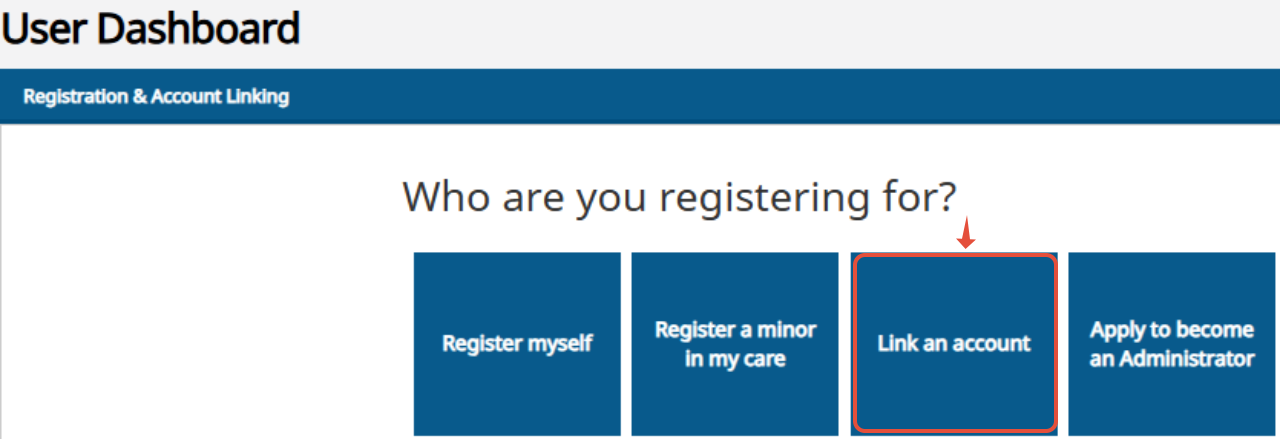
From the User homepage, select “Register a minor child in my care.”
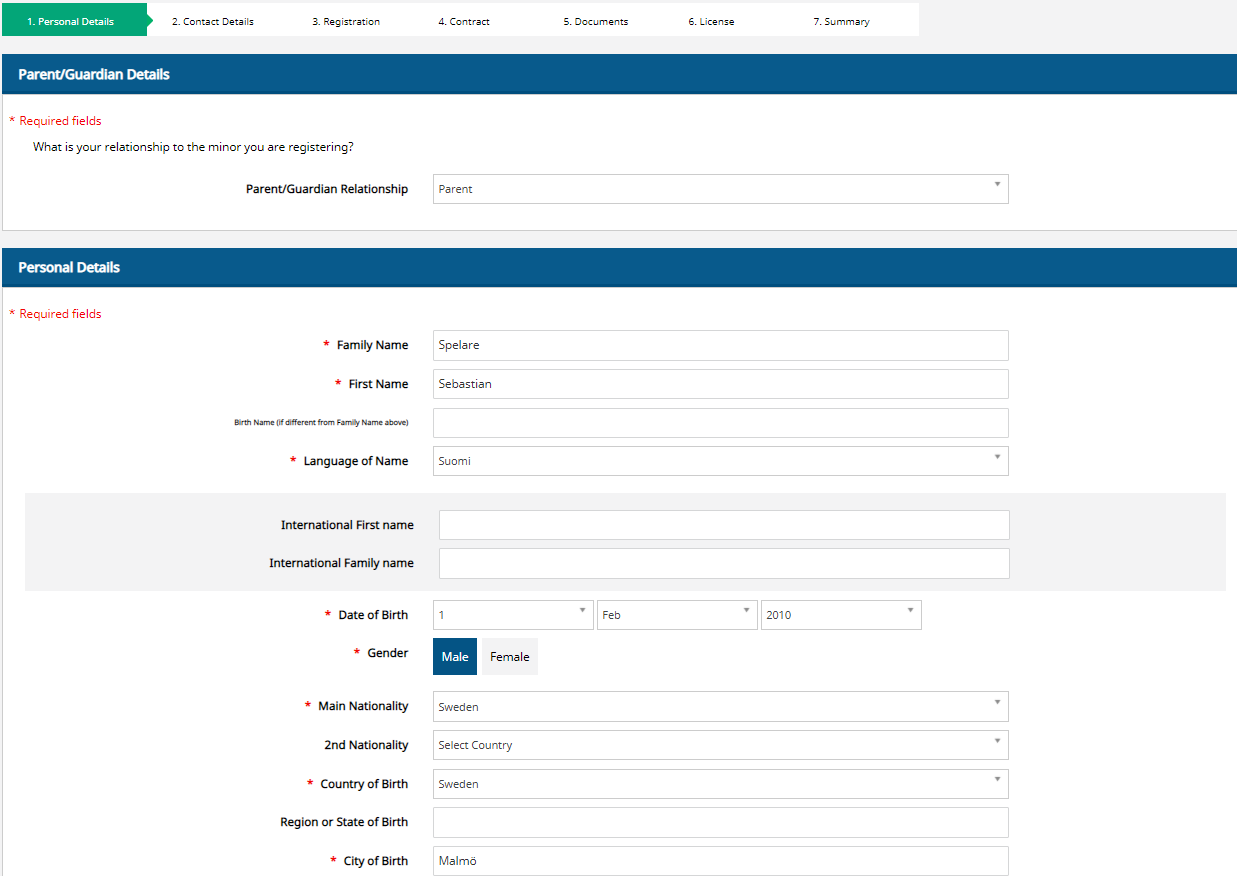
Select whether you are registering the player as a parent or a guardian.
Fill in the player’s information.
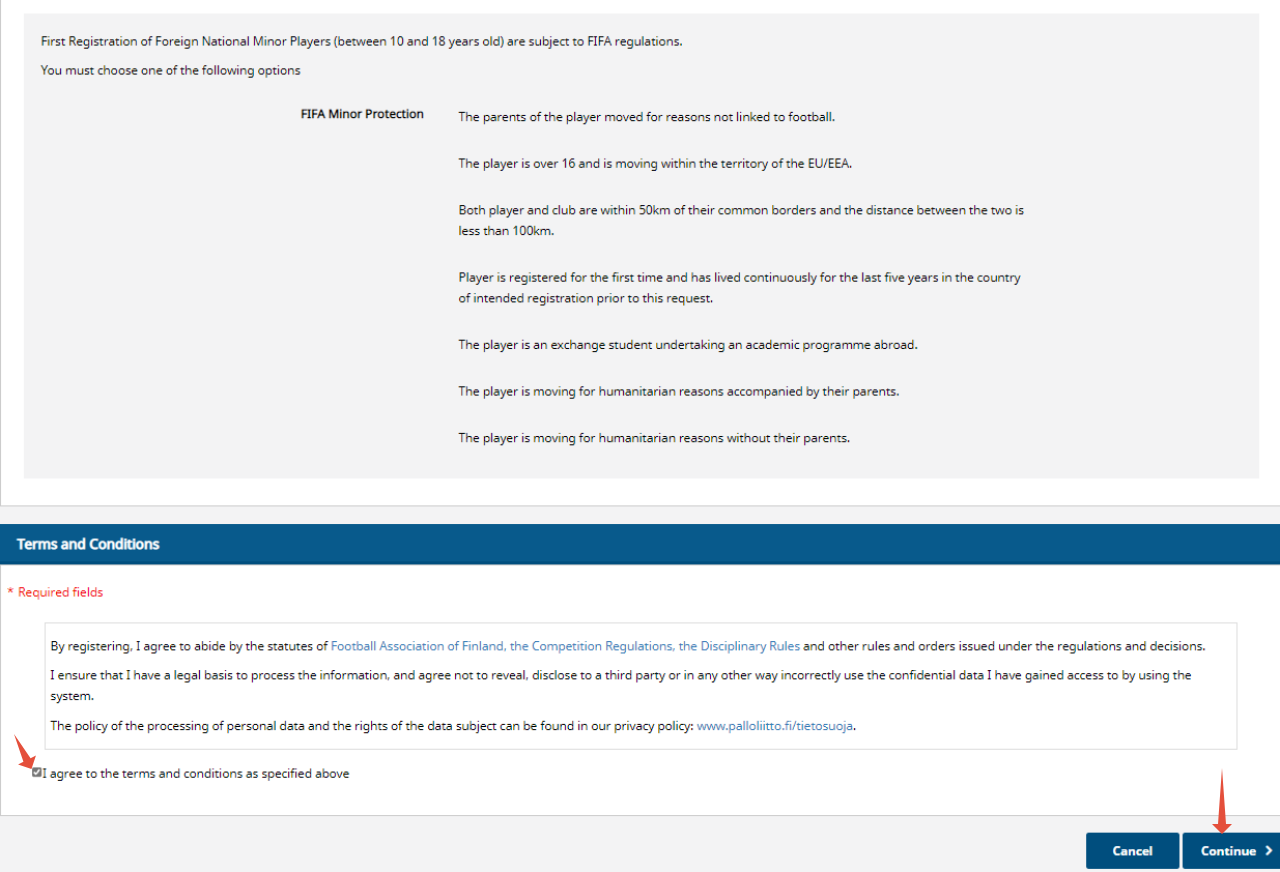
You will need to choose from the list the reason for the player’s move to Finland.
Accept the terms and select ‘Continue’.
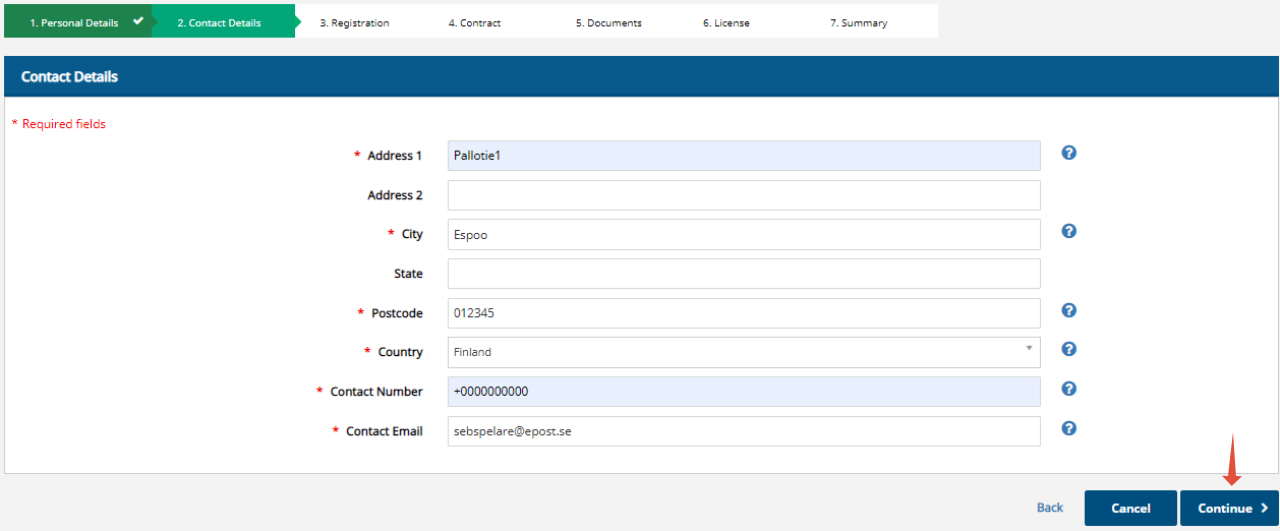
Fill in the player’s contact details.
Select ‘Continue’.
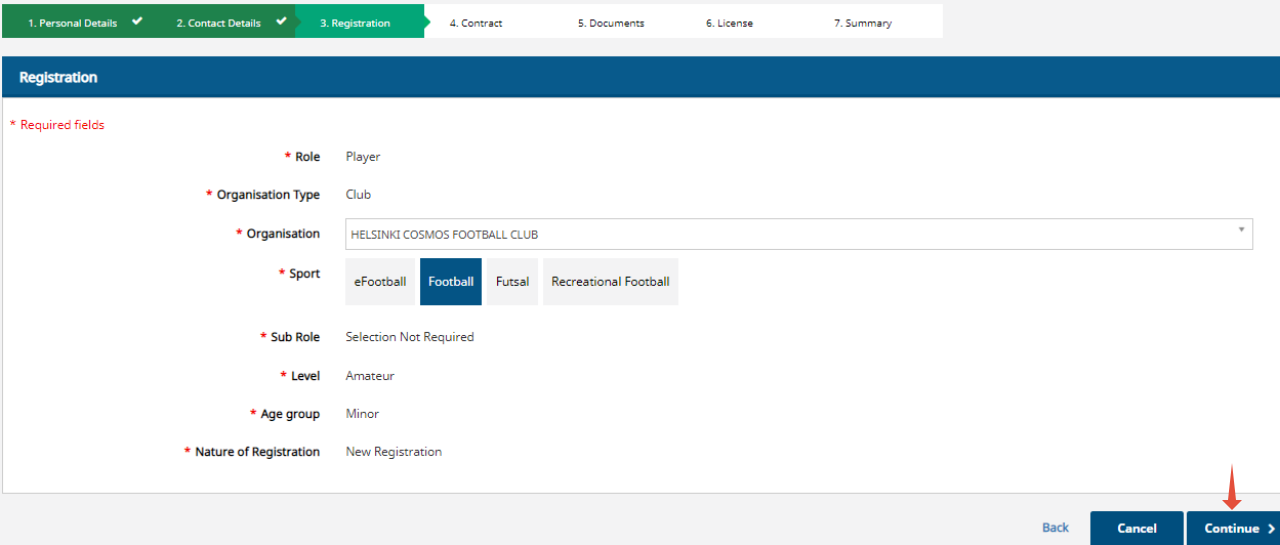
In the ‘Organization’ field, select the player’s Club.
Choose the sport the player will be participating in. Note that registrations for different sports (football/futsal) must be completed separately.
(A possible second sport can be added once the initial registration has been completed and the registration status is active.)
Select ‘Continue’.
Documents and files
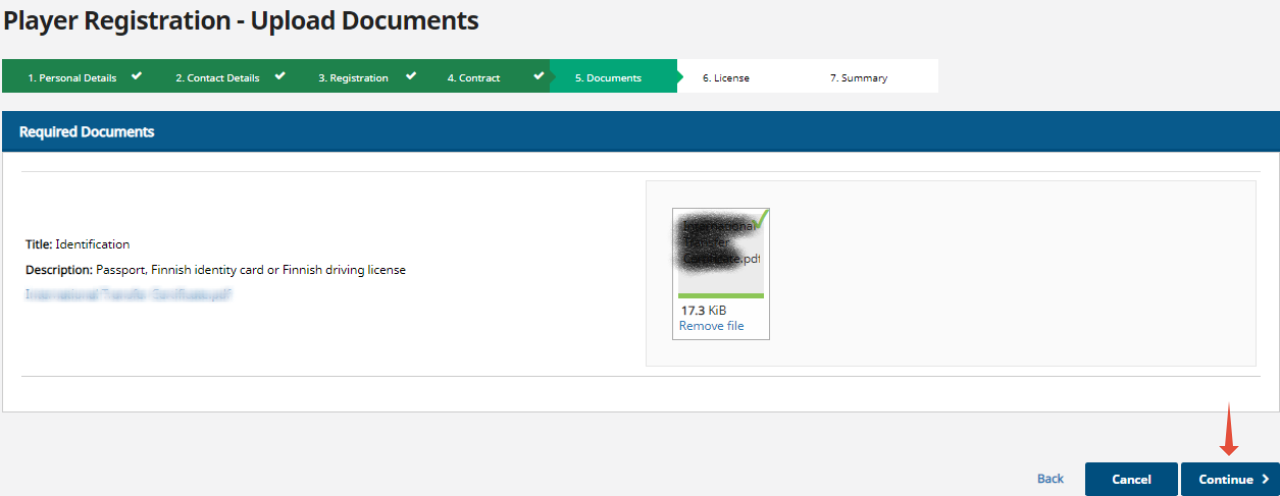
Upload a file that contains a copy of the player’s passport or other photo ID that shows the player’s date of birth and nationality.
(It is recommended to have the document saved on your device beforehand so that it can be easily uploaded to Pelipaikka.)
Select ‘Continue’.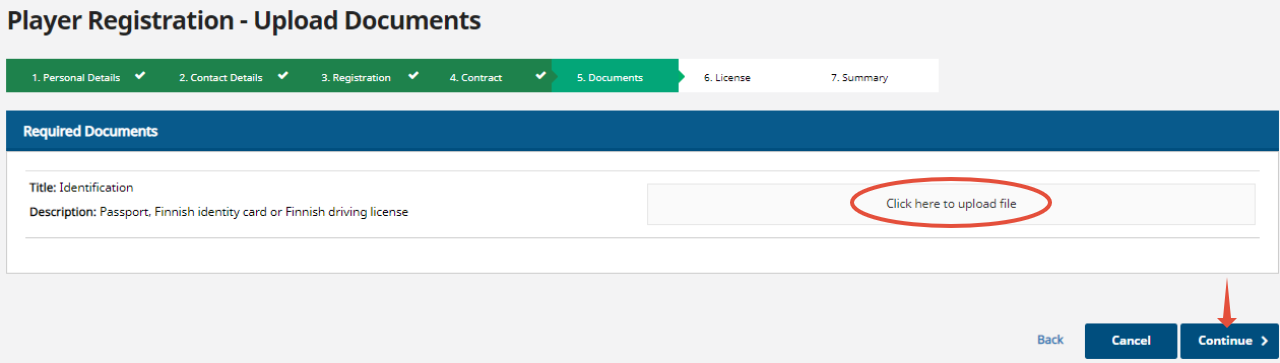
The system will automatically add a playing pass (pelipassi) for the player. Select an insurance if needed.
(According to the competition regulations, every child/young player must have insurance. If the child has their own insurance that covers competitive activities, you may leave the insurance unselected. Provide proof of the personal insurance to the player's Club.)
Select ‘Continue’.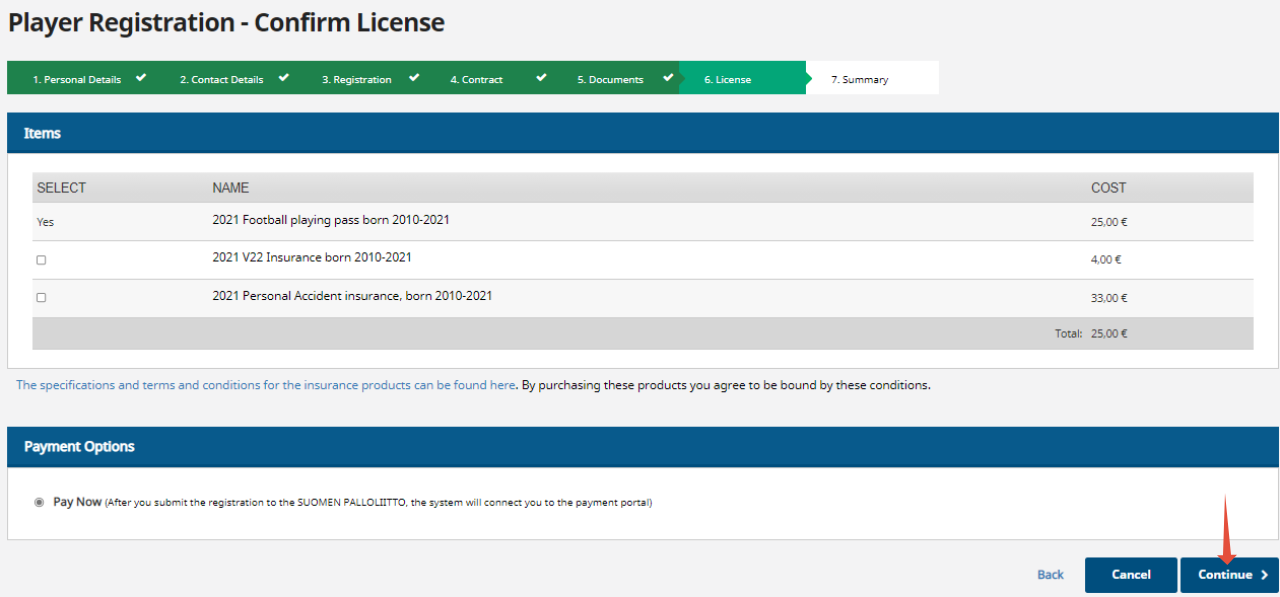
Check on the summary page to make sure that all the registration details are correct.
Select ‘Proceed to payment and submit to Member Association’.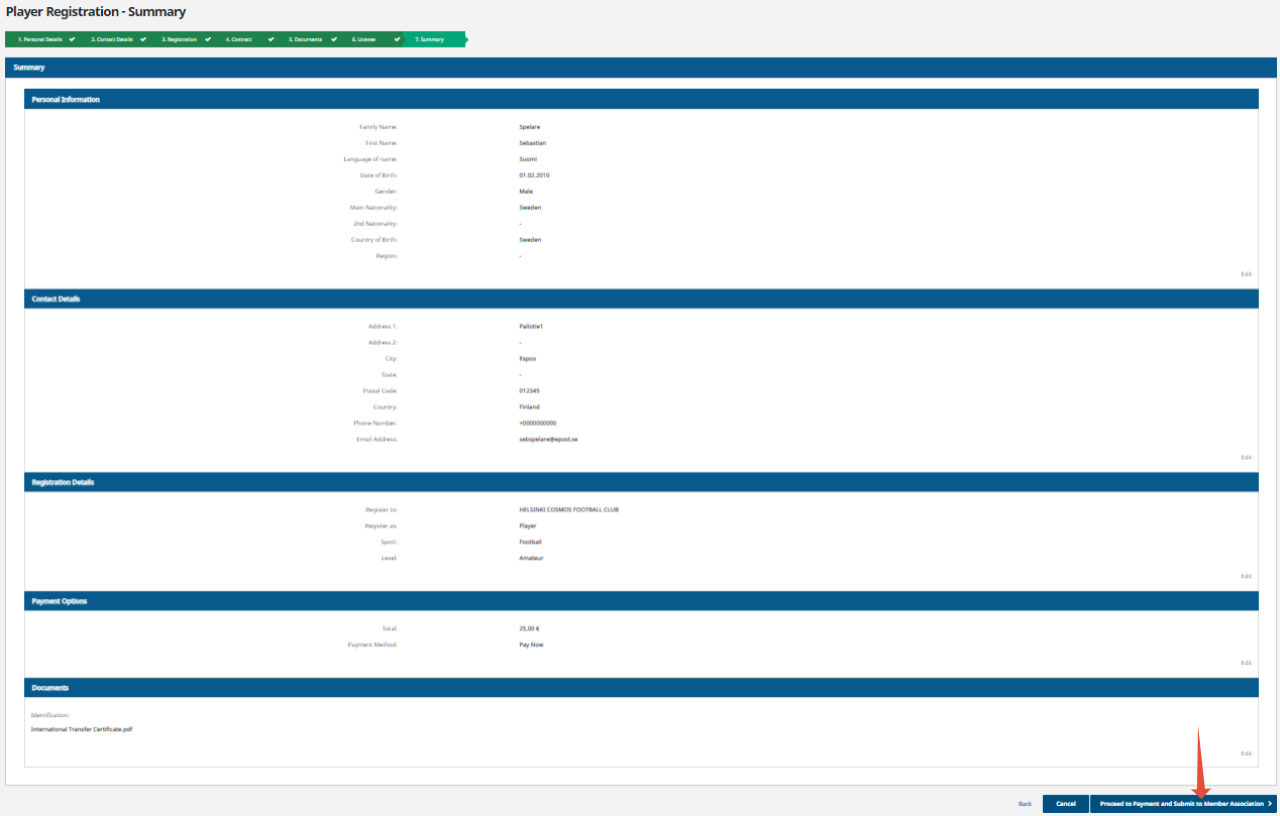
Payment
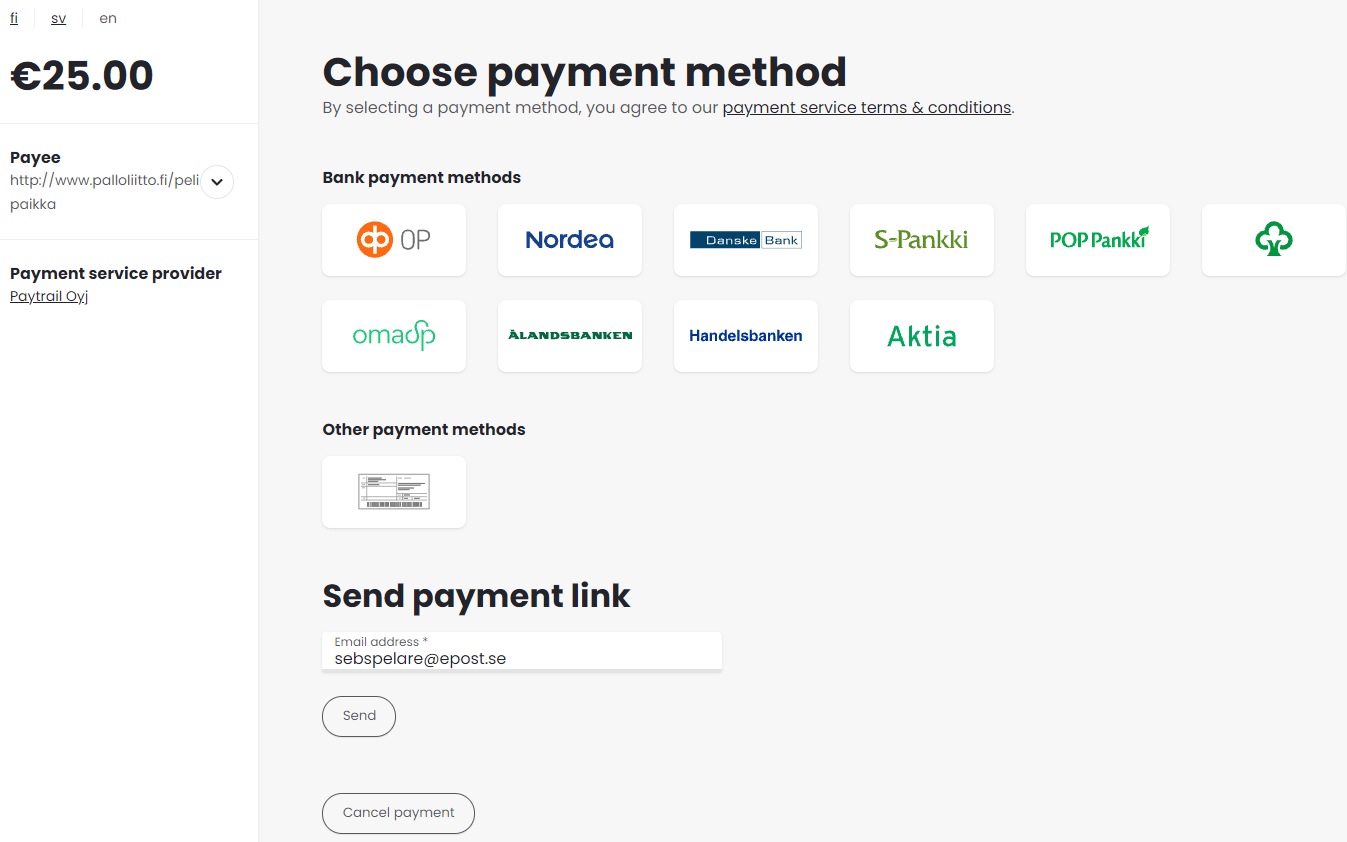
Select a payment method.
Bank payment methods: Click your bank’s logo to proceed with the payment.
(Note: When paying from a Nordea account:
Nordea logo → when paying from a personal account,
Nordea B2B logo → when paying from a company or association account.)
Other payment methods: You can pay via bank transfer using the payment details provided when you click the bank transfer form icon.
You can also send a payment link by entering your own or the payer’s email address in the email field and selecting ‘Send’. The system will then send the payment link to the recipient’s email.
Select "Return to your Dashboard".

Your registration will be forwarded to the federation for processing, and once it has been approved, a PalloID number will be created for the player.
If there are any deficiencies in the registration, it will be returned in Pelipaikka to the user account that submitted the registration — that is, to the account under which the registration was completed.
For the registration to be processed again by the federation, the returned registration must first be handled by the holder of that user account. Only the user account holder can process a returned registration.
