Log in to Pelipaikka with your username.
(If you logged in on mobile phone, turn your mobile phone horizontally to see more icons)
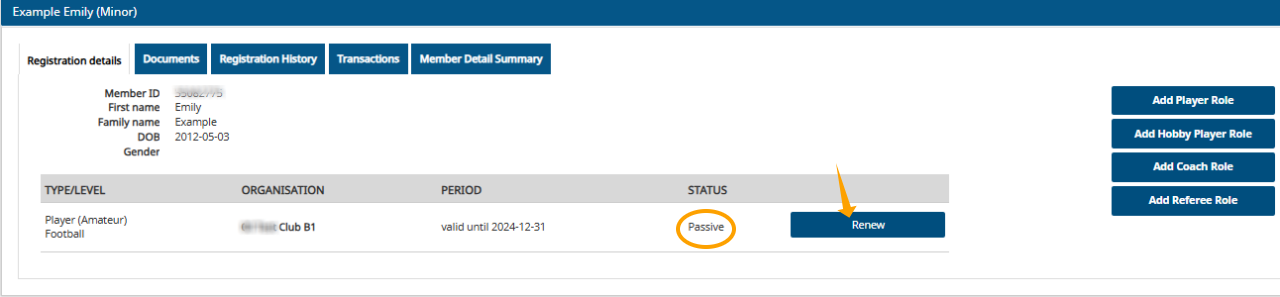
On the 'My Registrations' page, select 'Renew' in the row for the sport (football/futsal) you are renewing your playing pass for.
(The pass is renewed separately for each sport)
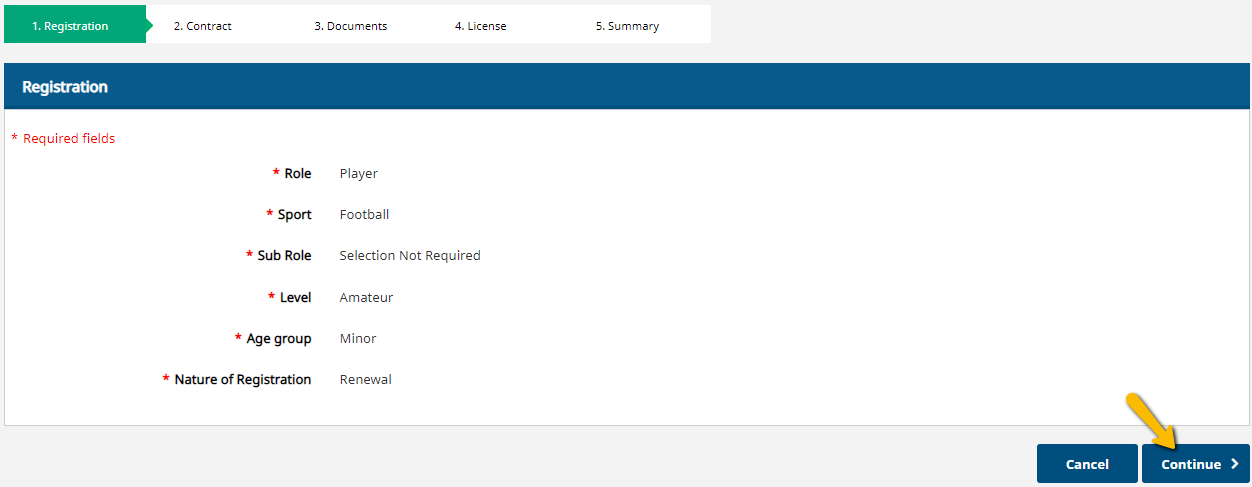
The system will automatically add the registration information to the amateur player's registration, so select 'Continue' on each page until you reach the 'Products' page.
(If you have change to another club, please contact your new club's official and ask the new club to start your player transfer. Player transfers can only be started by the player's new club.)
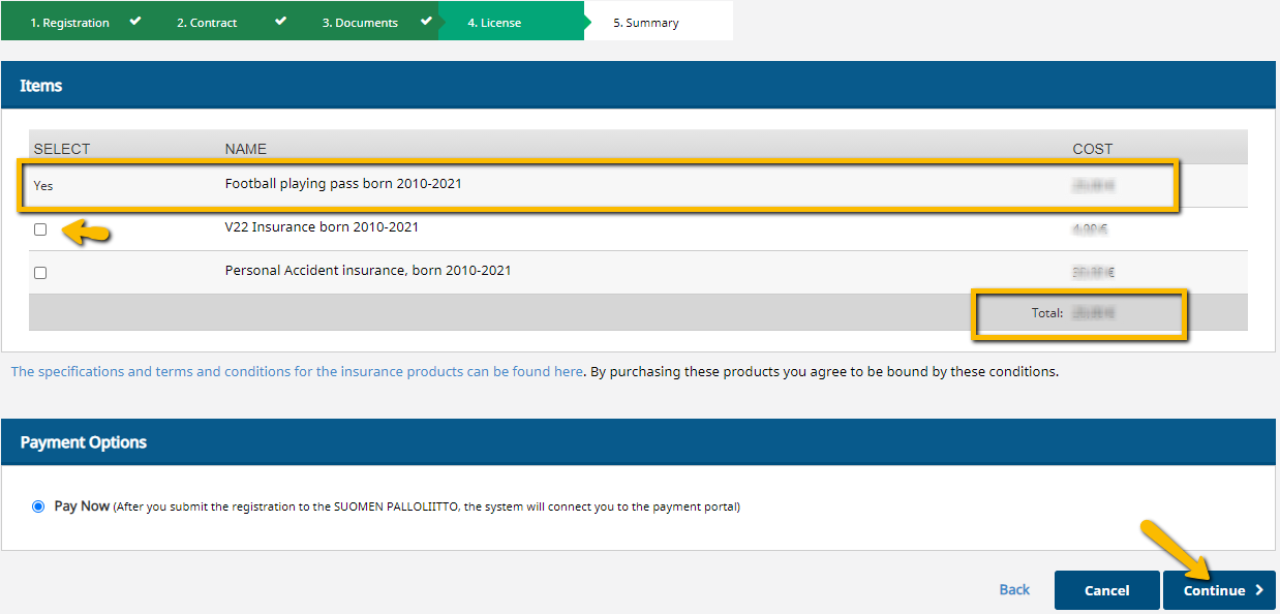
The system will automatically add the player's game pass fee based on the player's year of birth.
If necessary, select insurance coverage.
Check the total payment amount and select 'Continue'.
Check the summary page to make sure the information is correct and select 'Proceed to payment and submit for approval'.

Payment
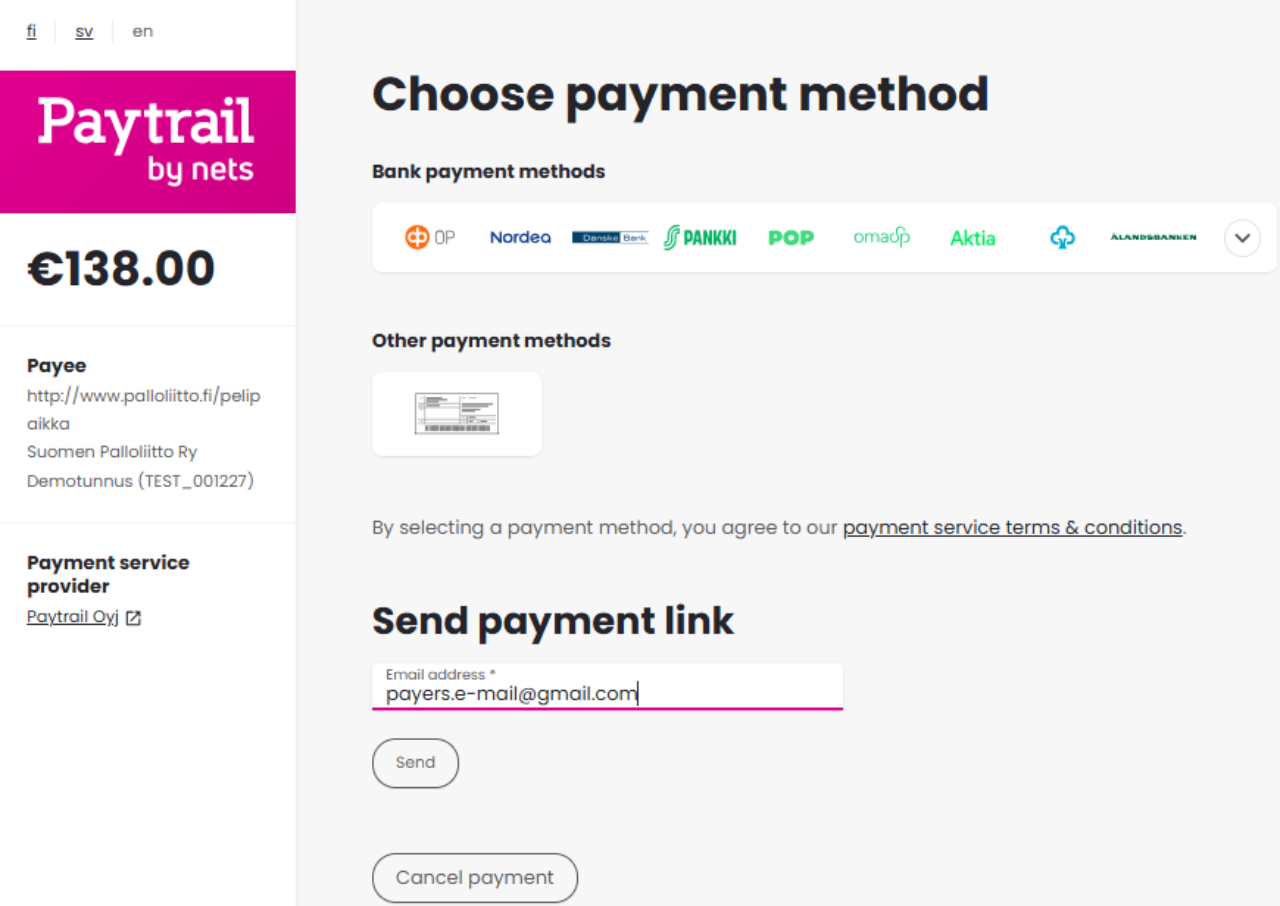
Bank payment methods: select your online bank icon, through which you can immediately pay the payment.
If you do not pay the payment yourself, or want to pay it later, you can forward the payment link to your own - or another payer's email. Enter the recipient's email address in the 'Send payment link' field and select 'Send'.
By selecting 'Other payment methods', you can select the bank transfer icon, which will allow you to either print or save the payment information for payment. Please note that when paying by bank transfer, the payment will not be registered until a few banking days after the payment.
If you have been sent a payment link by email, the payment method options will open after clicking on the link.