


This guide explains how a club renews the playing license for an individual amateur or Hobby-level player.
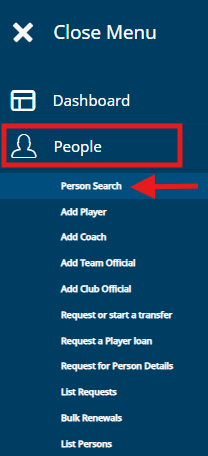
Find the player's information on the Pelipaika homepage under 'People' and select 'Person Search'.
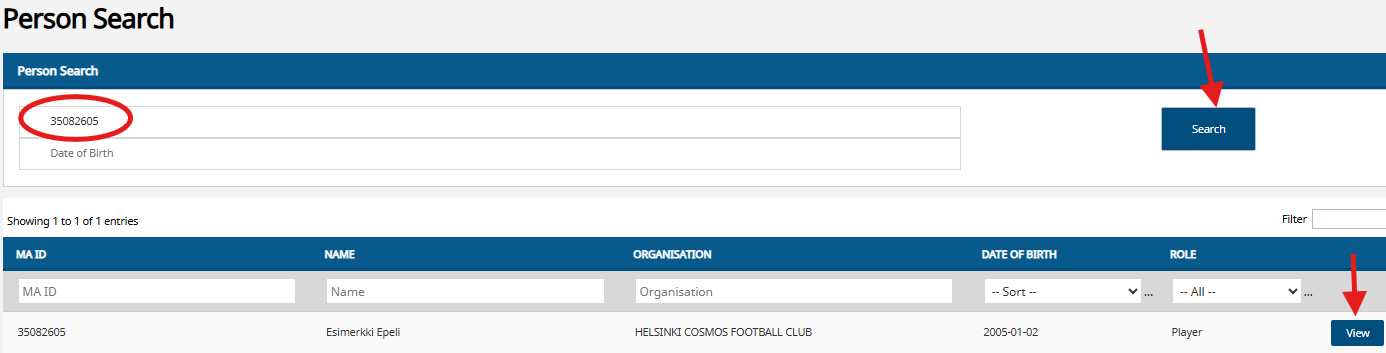
Enter the player's name or PalloID number and select 'Search'.
Once the system has found the player, select 'View' on the player's row.
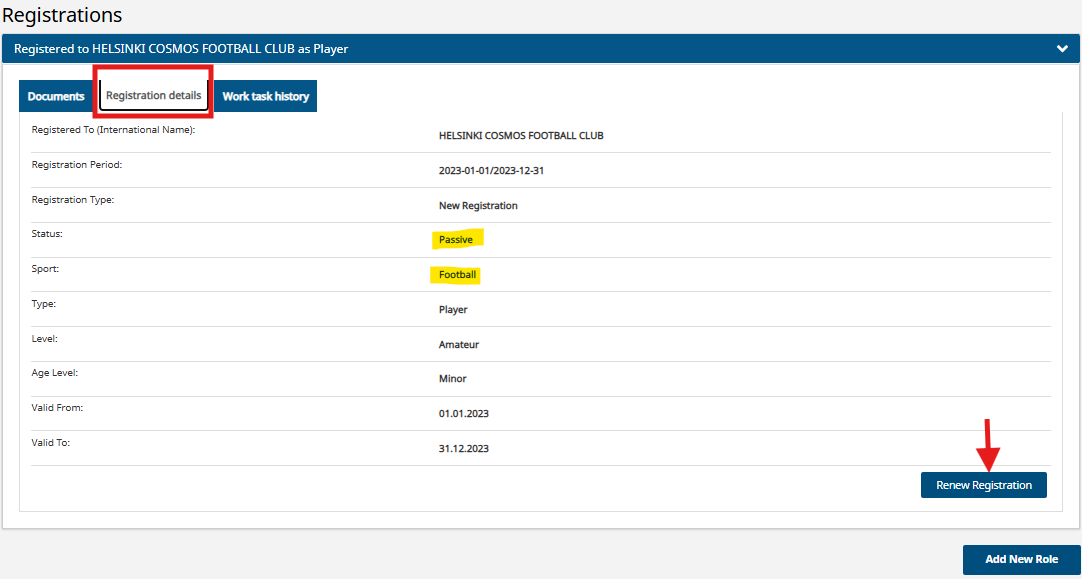
The player's details will open and at the bottom of the page you will find their registrations, under 'Registrations'.
Select the registration you are renewing from the blue bars in the player's details.
You can open the registration by clicking the arrow on the right side of the blue bar.
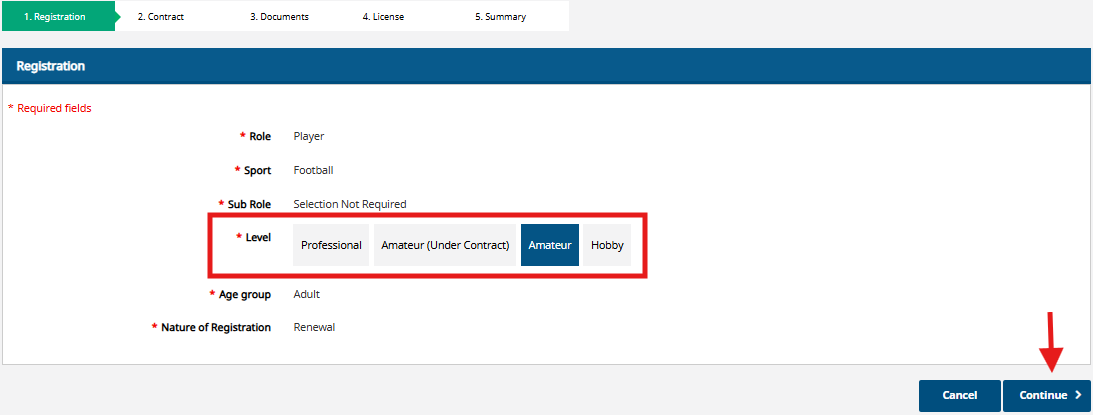
Under 'Level' you can see what level the player was last registered at and from here you can choose which level their registration will be renewed for the new season.
Once you have selected a level, select 'Continue'.
No documents are added for amateur and hobby level renewal.
Select 'Continue'.

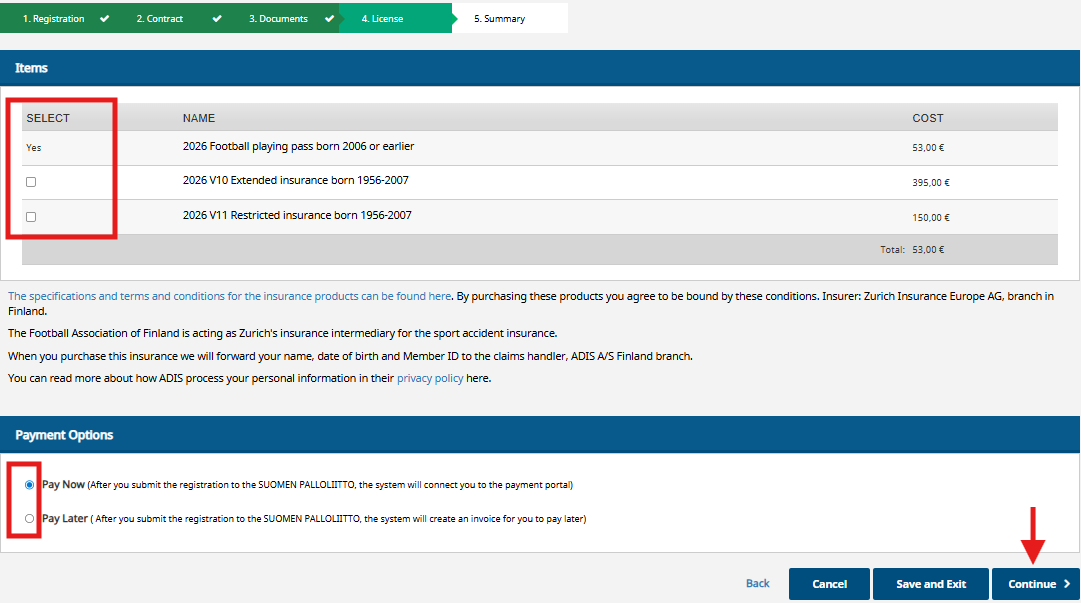
The system automatically adds a license (Pelipassi) to the player.
If the license (Pelipassi) has already been paid for in connection with the renewal of another sport, the system adds 0€ as the price of the license (Pelipassi).
The insurance is not added automatically and must be selected separately.
When the products have been added, select 'Pay now', which will allow you to pay for the products or forward the paymentlink by email.
If you select 'Pay later', the payment will be transferred to the open payments under the club in the Pelipaikka, from where it can be picked up for payment either individually, or in the same payment with other open payments. Open payments can be found with the 'Club's Treasurer' rights under 'Payments' -> 'Invoices' -> 'Send'.
On the summary page, check that the information is correct, and you can move forward by selecting 'Proceed to payment and submit for approval'.

- The open payment can then be found under the club in Pelipaikka, under 'Payments' -> 'Invoices' -> 'Send'.
- If you selected 'Pay now' as the payment method, you can proceed to pay the payment or
- you can forward the payment link from 'Send payment link', by entering the email address of the person who will pay the payment.
Once the payment has been paid or forwarded, you can return to your home page.
Payment
You can find information about payment here.
