How does my user account menu work?
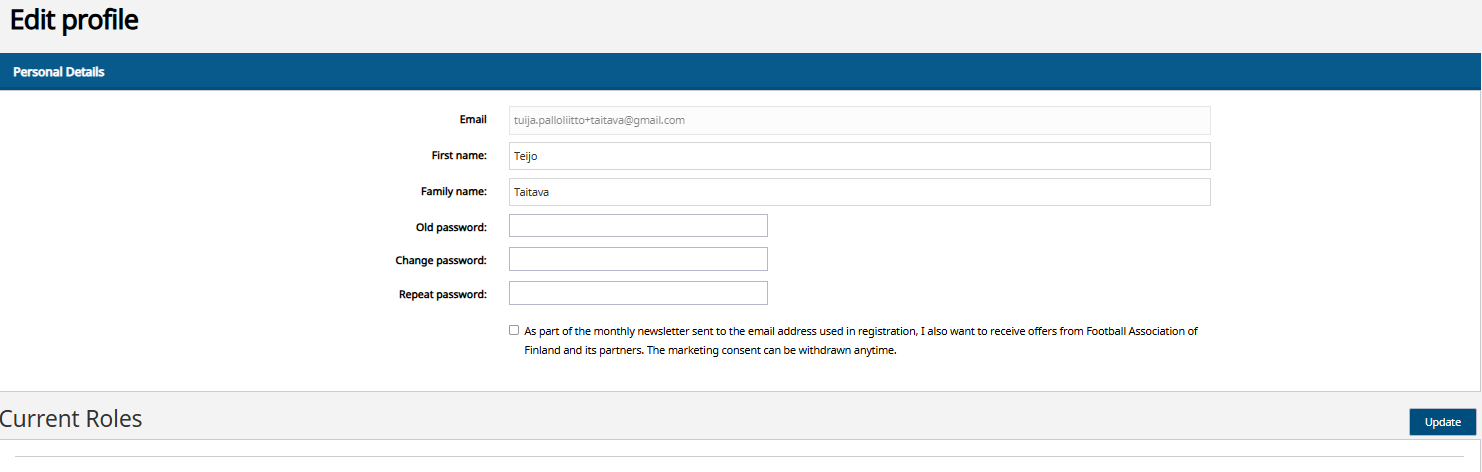
Once you have logged in to the Pelipaikka site, you can access various functions by selecting the "gear" icon in the top right corner of the page.
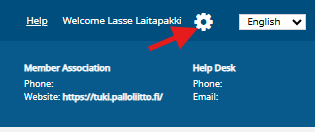
The following menus will open for you:
- User Dashboard
- My Registrations
- Swich Roles
- Edit Profile
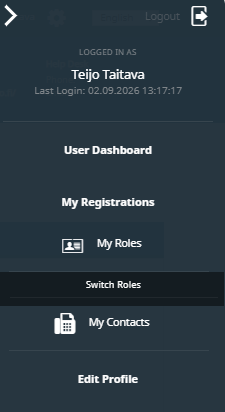
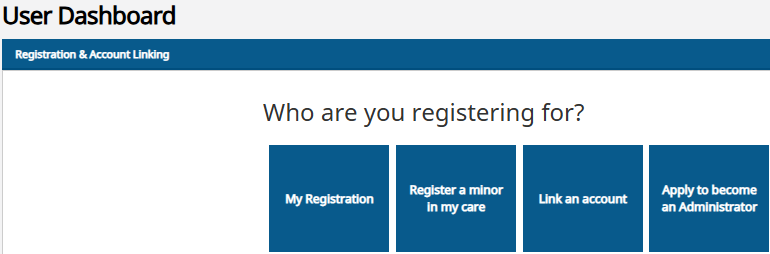
User Dashboard
- You can complete a first registration for yourself or a minor child,
- You can link an account a person who already has a PalloID number
- if you are a club officiall, you can apply for Pelipaikka user rights for the club
Once you have registered yourself or linked a minor child's details to your user account, the registrations for all individuals who are linked to the account can be found under the "My registration" icon.
If you also need to register yourself for the first time, you should do so first, as the "Register yourself" icon changes to the "My registration" icon once the first person has been registered or their details have been linked to the account.
My registrations
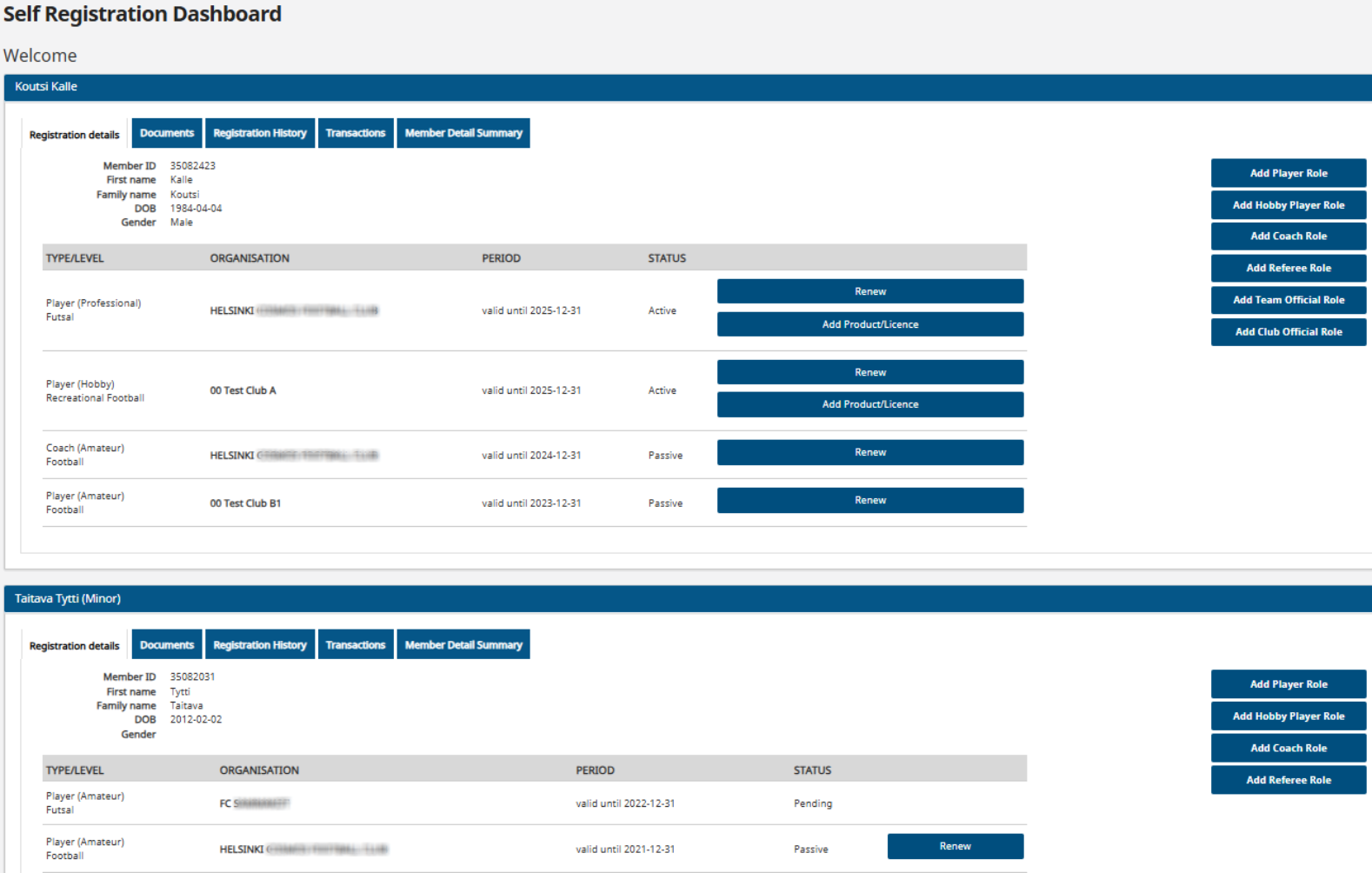
- You can find the registrations for all individuals linked to your user account on the "My registrations" page.
- Here, you can renew your player license and purchase insurance, as well as add or renew an official role.
- You can pay outstanding fees for player licenses, insurance, or transfers, or check if they have already been paid.
- You can check whether your registration is active and which club holds your right to represent.
Switch Roles
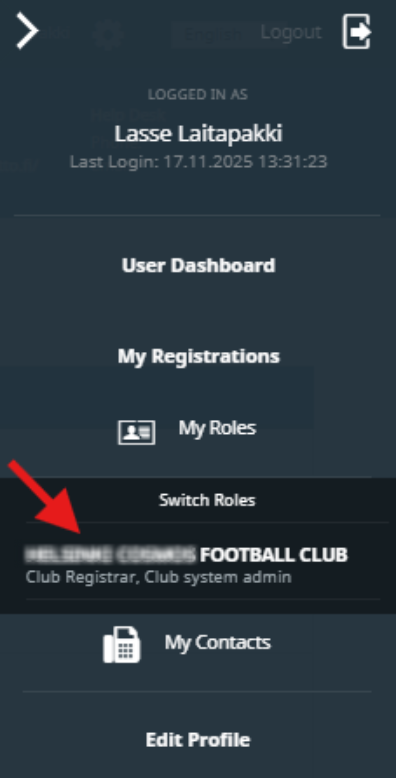
- If you also serve as a club official, this page displays the club-level access rights granted to you within the Pelipaikka system.
- Selecting the "Change access right" option switches the page to the club user role, making club-user features available to you.
- Selecting "My registrations" allows you to return to managing your own information and the details of individuals linked to your user account.
If you have club Administrator rights, they are displayed here. You can switch from the "individual user" view to the "club ser" view by clicking on the section showing your Club Administrator rights.
Edit Profile
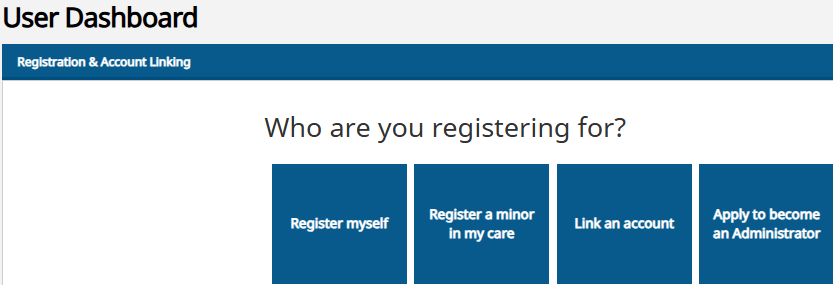
By selecting "Edit Profile":
You can edit the account holder's first and last name and change the password.
(The email address displayed on a gray background is your username; it cannot be changed except by creating a new account.)
Remember to save the changes you have made.