


This guide explains how to view the status of your registration and payments in Pelipaikka. To view your registrations, you must have a Pelipaikka user account linked to your personal details.
Log in to Pelipaikka using your username.
Once individuals are linked to your account, their details will appear listed on the 'My registrations' page.
(If logging in via mobile, rotate your phone to landscape mode to view additional icons.)
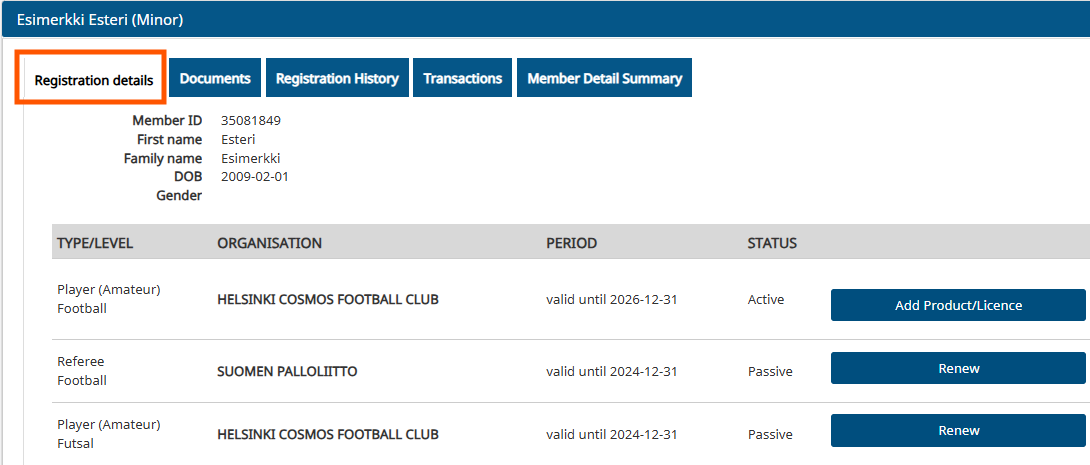
You can view the most recent registrations under the 'Registration details' tab within the individual's profile.
Please note that different sports and any official or coaching registrations appear on separate lines (e.g., football, futsal, adult Hobby registration, and official registrations).
You can check the validity period of the registration in the 'Valid until' section of the 'Period' column.
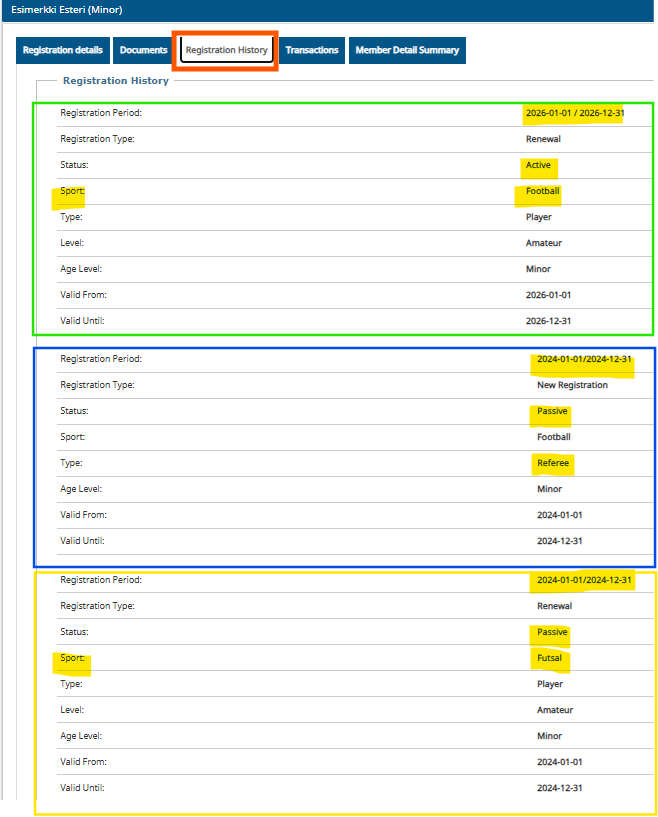
You can view the most recent registrations on the 'Registration history' tab. The 'Registration period' row shows the latest active registration period for the specific sport or registration.
If the 'Status' field shows 'active', the registration for the current season is valid.
If the 'Status' indicates that the registration is Passive, it can be renewed.
The 'Sport' row shows which sport or registration the status applies to.
On the 'Payments' tab, you can view your latest payments and their status.
Payments are categorized by sport or registration; you can identify the relevant season for a paid item by the year indicator displayed next to it.
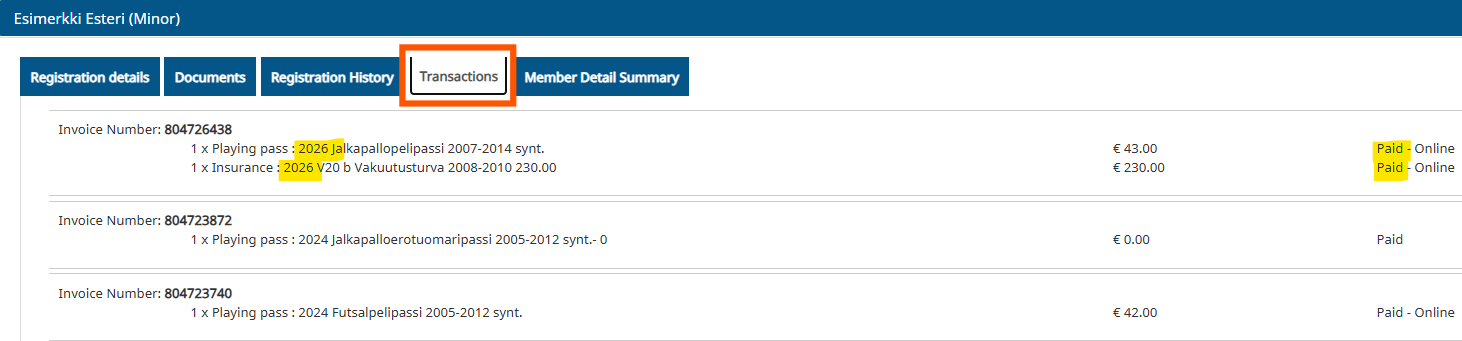
If the registration has been renewed and the player license (including insurance) paid for one sport, the player license for a second sport is free of charge (though the registration must still be renewed).
