Purchasing insurance – how to buy insurance
Insurance coverage can be purchased via Pelipaikka either when renewing the player pass (Pelipassi) or afterwards, once the current year's player pass is already active.
Insurance is not valid without a valid player pass.
Insurance coverage can be purchased afterwards in Pelipaikka only by the player's guardian or by the player themselves using their own Pelipaikka user account.
The club cannot add insurance coverage for a player afterwards.
For adult players - If an upgrade to a player's existing insurance is desired, the player can purchase the upgrade themselves—for example, upgrading from basic to comprehensive coverage.
(If you logged in using a phone, rotate it to landscape mode to view more icons)
Instructions for purchasing insurance
Log in to Pelipaikka using your username.
You can view the products previously added from the player's profile on the 'Transactions' tab. In case of doubt, please contact the Football Association's support service (via the support portal).
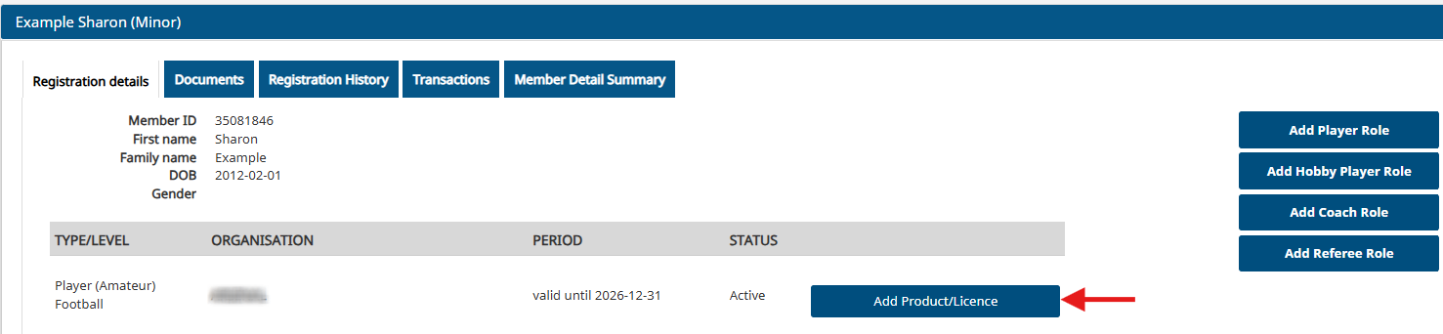
Select the "Add products" icon under the "My registrations" section.
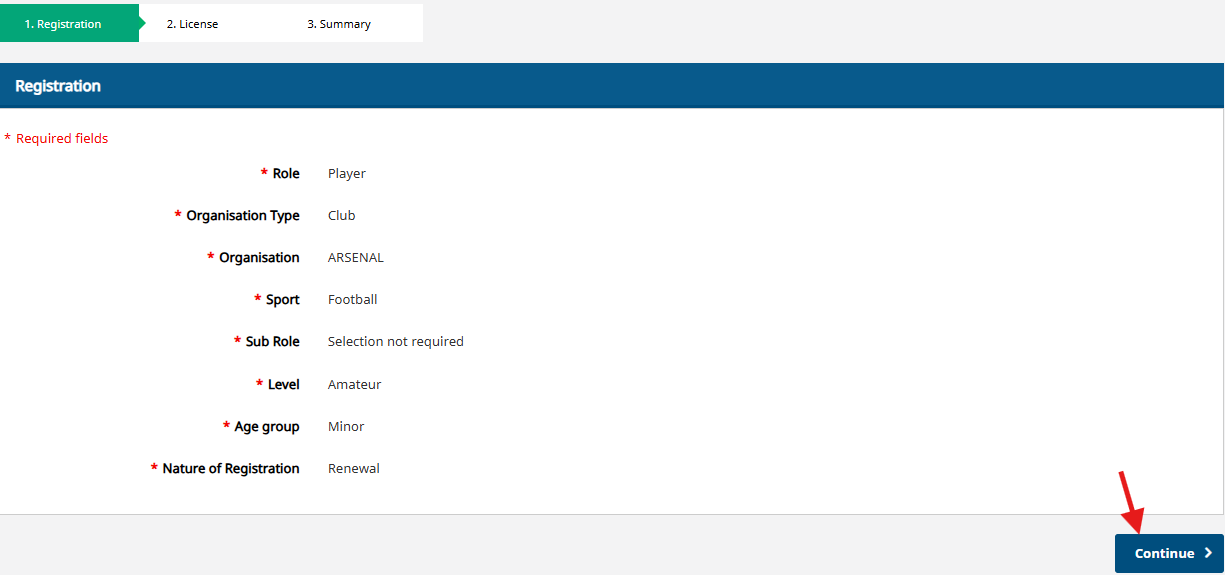
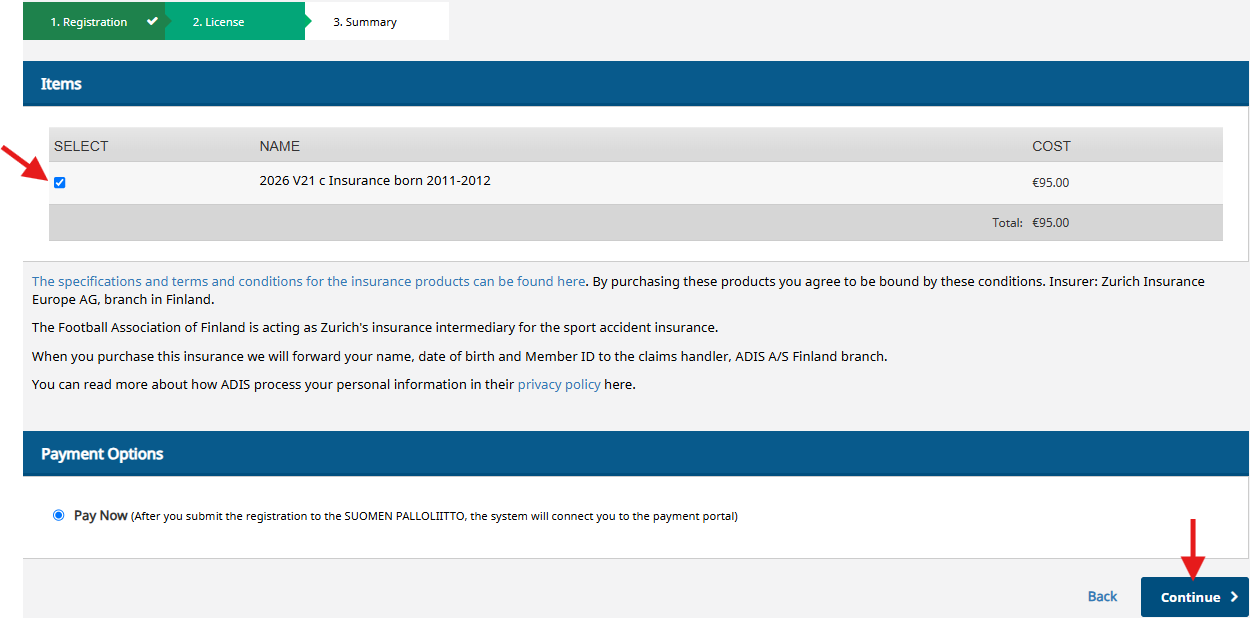
Select the insurance.
(If insurance has already been paid for the player for the current season, that insurance will not be available for selection again.
Select 'Continue' to proceed to the payment method selection.
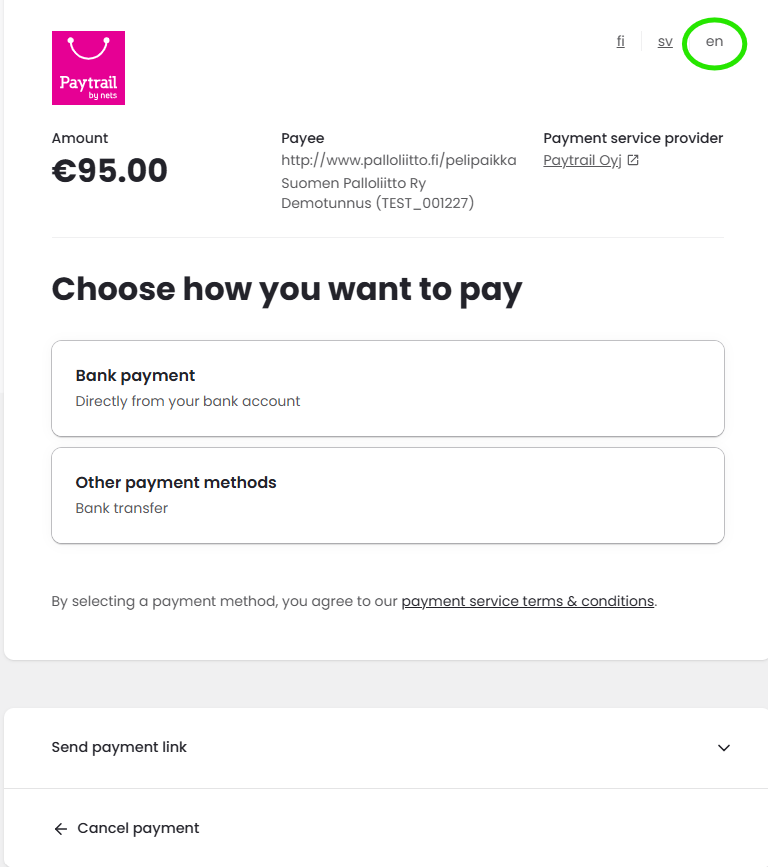
Payment
Select "Bank Payment" to pay directly from your bank account, or choose "Send payment link" to forward the payment link to the payer's email address.
If you select "Other payment methods," you can pay via bank transfer using the payment details provided when you click that option.
When paying via bank transfer, it is important to use the exact payment details shown on the transfer form; otherwise, the payment will not be registered.
Once the online payment is complete or another payment method has been selected, return to the service provider's page.
If you have received a payment link via email, clicking the link will reopen the payment method selection screen.
(Note: Selecting the Nordea icon takes you to payment via a personal account, while the Nordea B2B icon leads to payment via a business or association account.)