


Player Transfer – How to start a Transfer Request
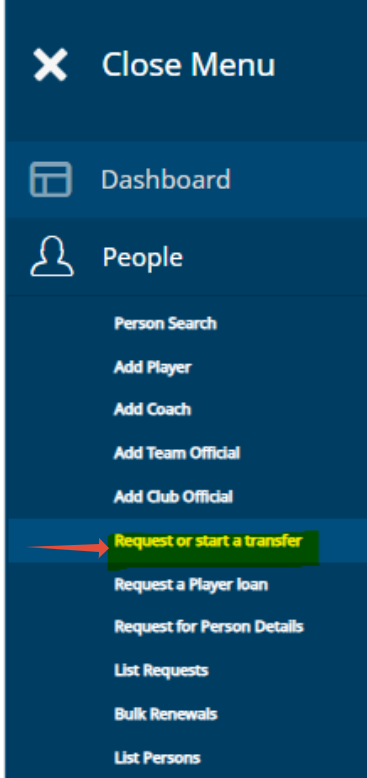
A player transfer can only be started by the player's new club; this is done under the 'People' tab by selecting 'Request or Start a Transfer'.
The transfer will not be made for 'Adult recreational' players (aged 18 or older).
If an 'Adult recreational' player already has a PalloID number, you should request their details from the club that currently holds their playing rights. This is done via the menu under 'People' -> 'Request for person's details'.
(If you are logged in on a mobile phone, rotate the device to landscape mode to view more icons.)
Select 'People' from the menu, and then select 'Start player transfer'.
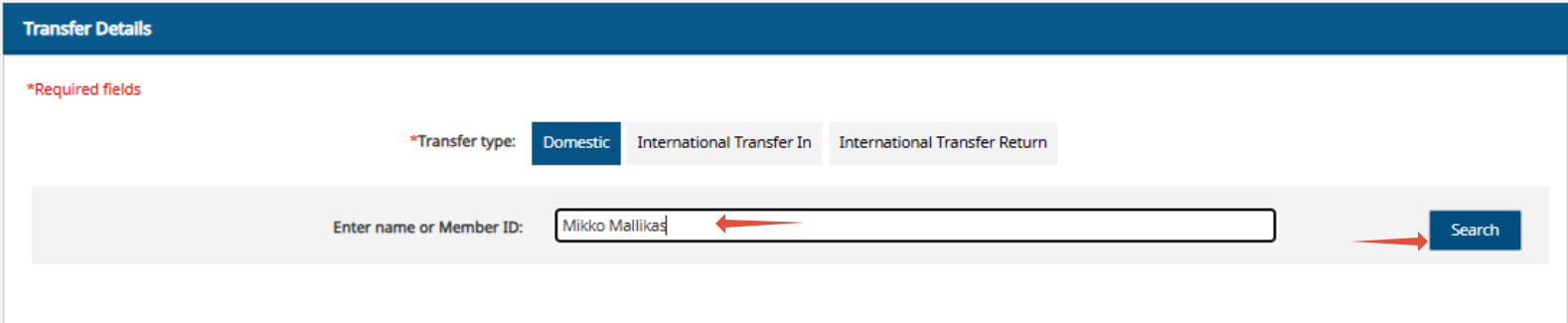
Enter the name of the player (or PalloID, if known).
Select 'Search'.
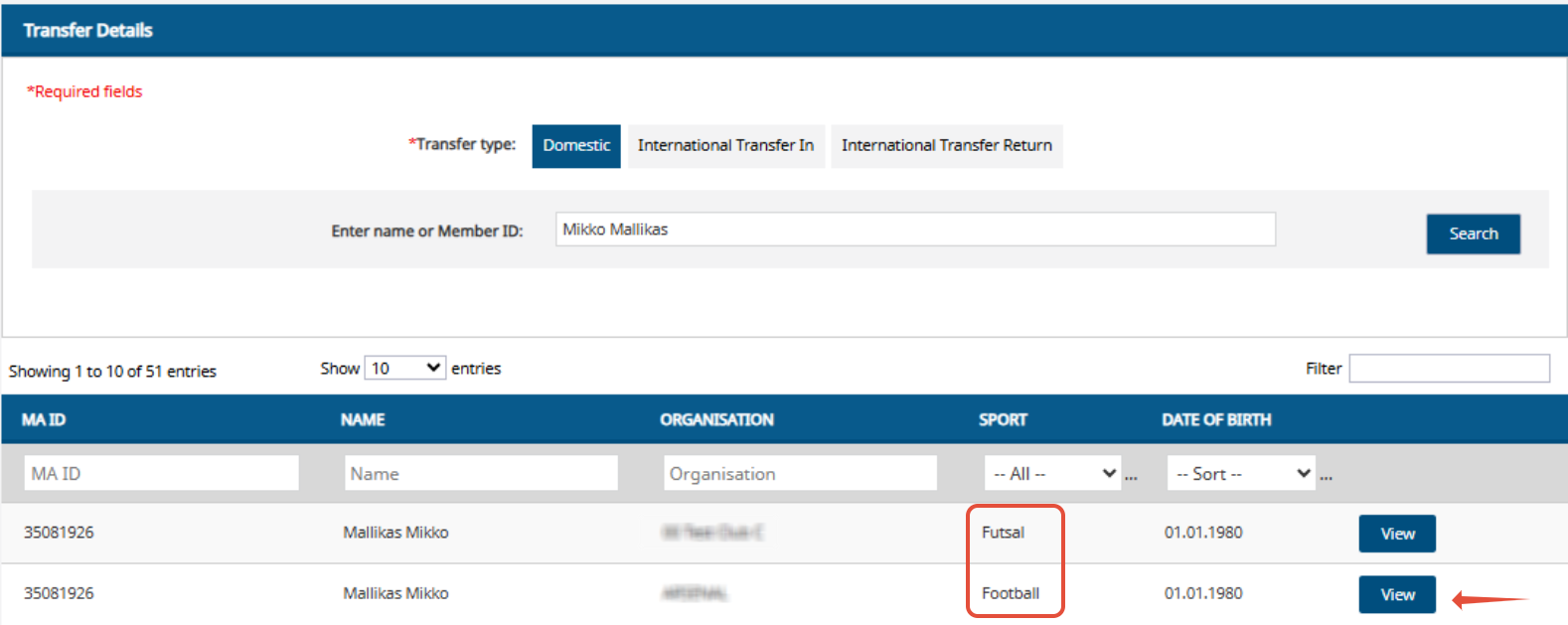
If you searched for a player by name, the system may offer multiple options.
Confirm the player's date of birth and the club where he/she last held eligibility to play.
Once the correct player has been found, select 'View'.
NOTE! Football and futsal transfers are processed separately.
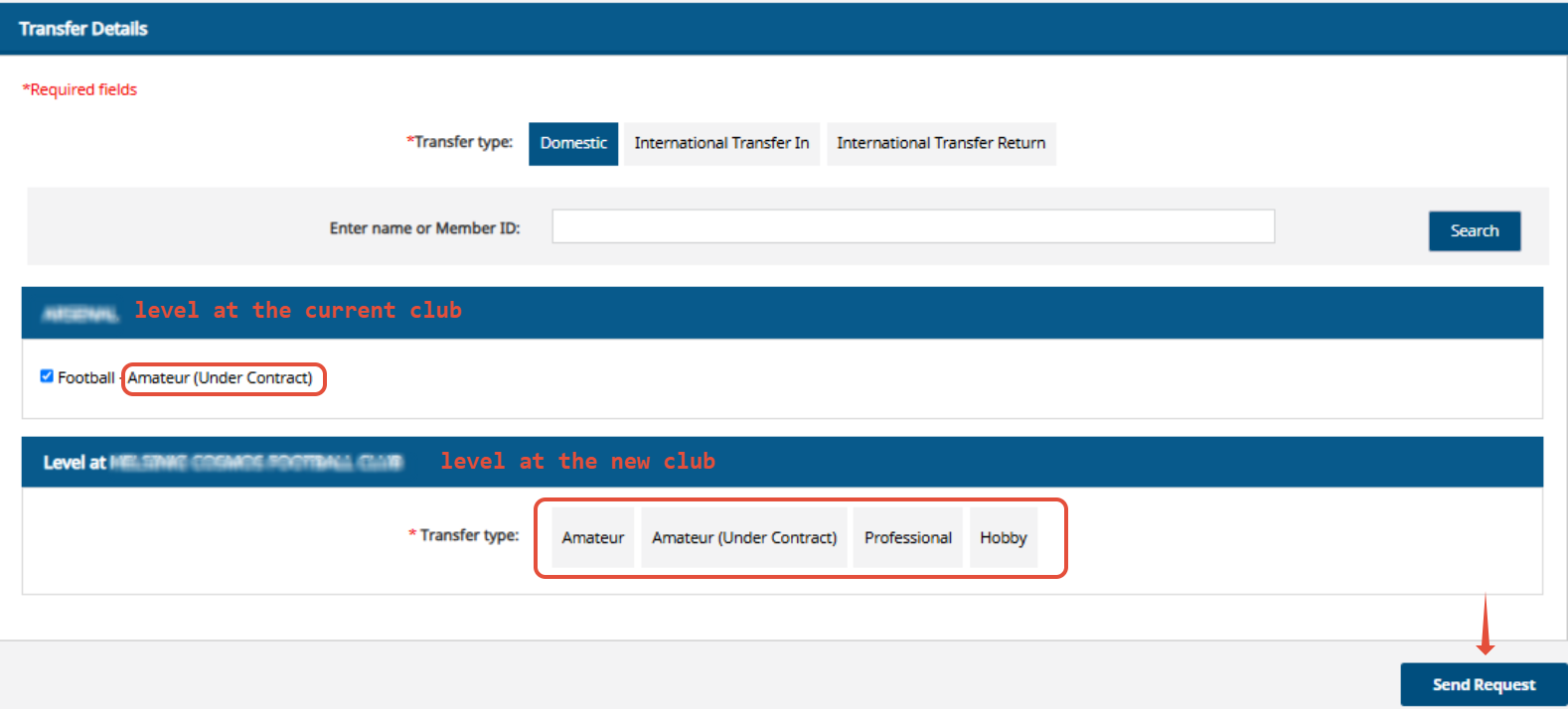
If a player is registered for both football and futsal, select the sport.
The sport entry will show the level at which the player most recently competed in that discipline.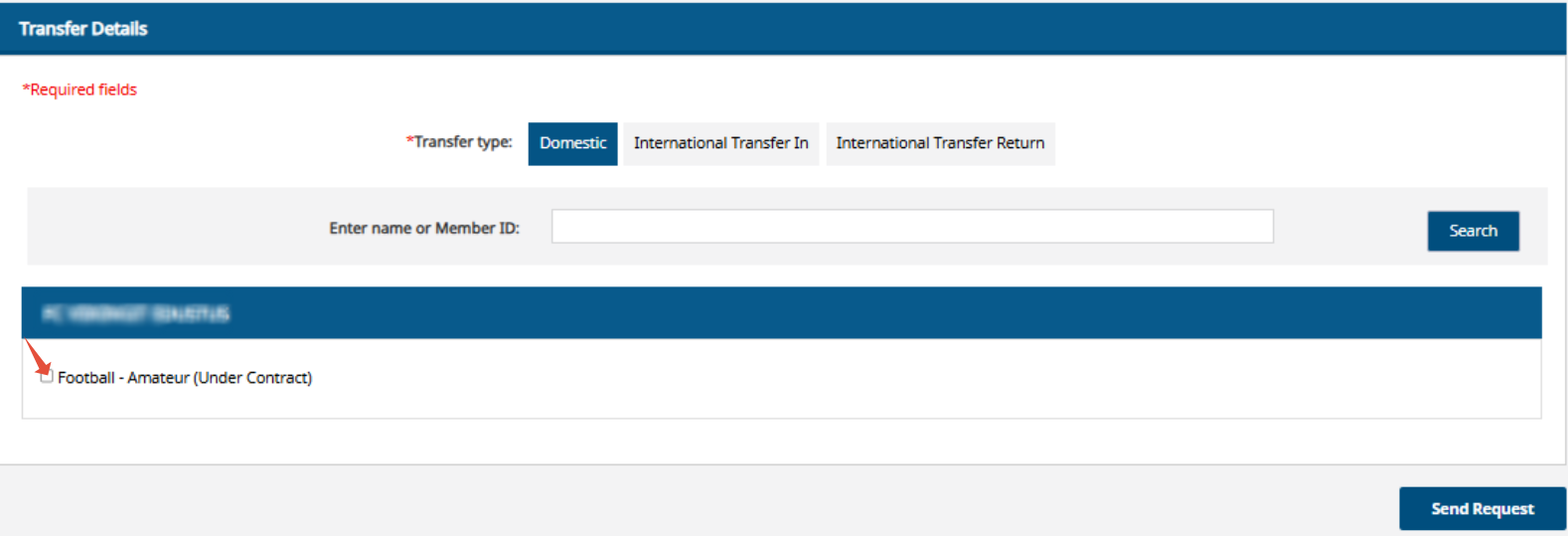
For the transfer type, select the level at which the player will compete for the new club.
Select 'Send request'.
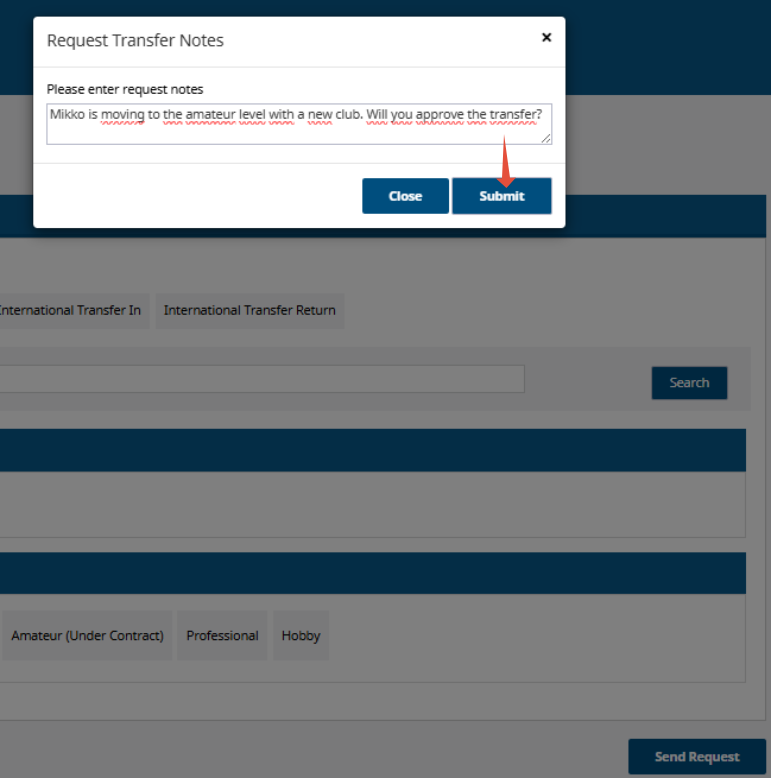
Write a message to the former club in the 'pop-up' window that appears.
The message will remain visible during the later stages of the transfer process, so it is a good idea to include details such as the league or level the player is moving to, ensuring the information reaches the person finalizing the transfer.
Select 'Submit'.
The Transfer Request for Mallikas Mikko has been sent to his current club.
