This user guide will explain how to link a previous registration to a User Account
If you are a new participant that has never previously registered with the Football Association of Finland, this information is not applicable.
You can manage a person's details by linking his/her information (PalloID number) to your user account.
1. Log in to Pelipaikka using your username. (If logging in via mobile, rotate your phone to landscape mode to view more icons.)
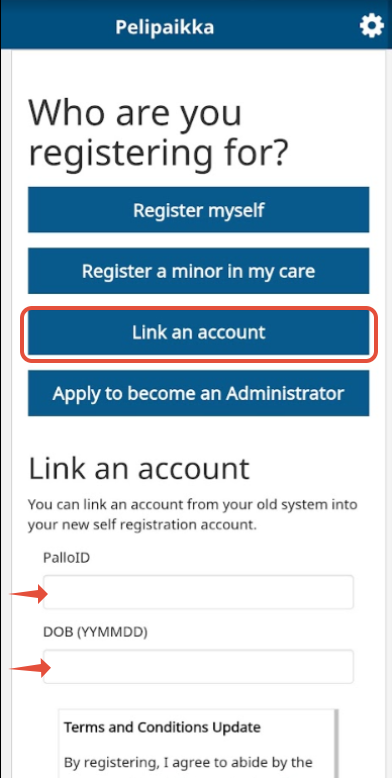
2. Select "Link an account"
3. Enter the PalloID number and date of birth in the format year-month-day (YYMMDD). (For example, if the date of birth is March 4, 2012, enter it as 120304.)
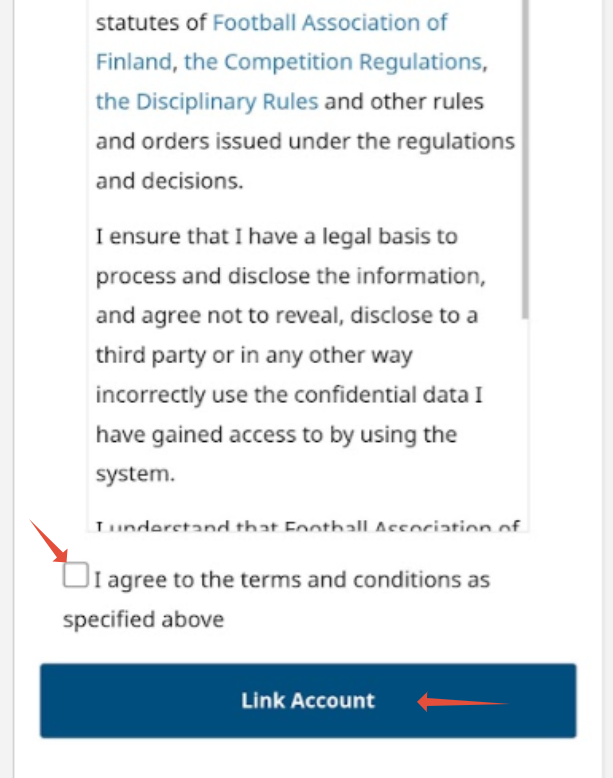
4. Accept the terms and conditions.
5. Select "Link Account".
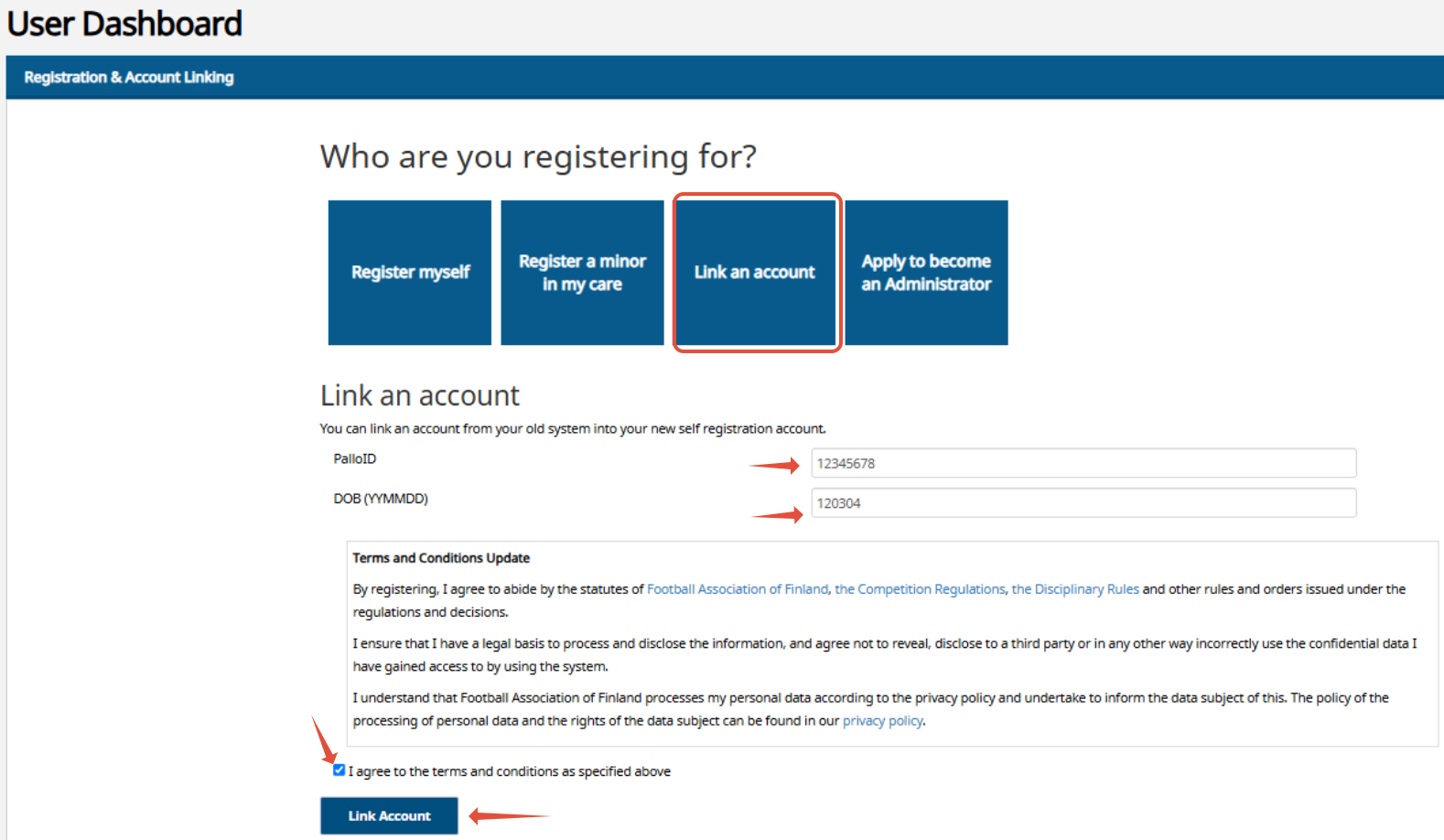
Adding player/official details to a user account via mobile
If the page opens to a view other than the 'User home page', select the 'gear' icon in the top right corner and then choose 'User Dashboard' from the menu.
1. Select 'Link an account'.
2. Enter the person's PalloID number.
3. Enter the person's date of birth in YYMMDD form (For example, if the date of birth is March 4, 2012, enter it as 120304).
4. Accept the terms.
5. Select 'Link Account'.