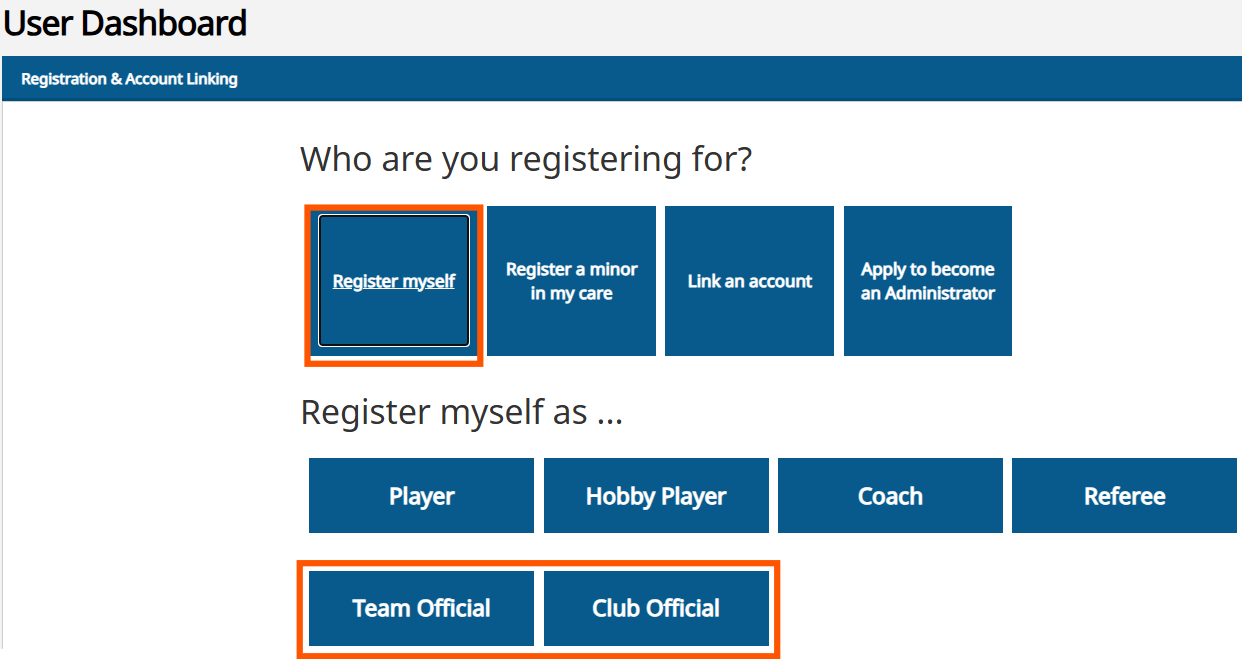
Once you have created a user account for Pelipaikka, you can log in and add an official role to your profile.
If no personal details have previously been linked to the user account, a "Register yourself" icon appears on the home page. This icon allows an adult who does not yet have a PalloID to complete their own registration.
If the text "My registrations" appears in the first blue box, personal details have already been linked to the user account. In this case, a new registration for an adult cannot be performed using that account.
If necessary, the Football Association’s support service can remove the personal details previously linked to the user account. After this, the "Register yourself" icon will reappear on the home page.
Once the adult's own registration has been completed, details of minor players that were previously removed can be linked back to the user account.
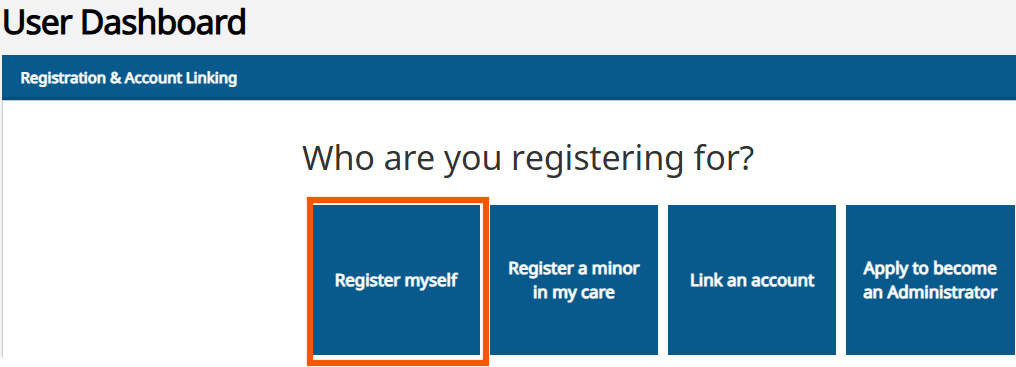
Select "Register" and then choose an official role.
You can register as either:
-A team official (e.g., team manager, kit manager, or physiotherapist)
-A club official (e.g., junior manager, chairperson, or coaching manager)
Complete the registration process.
The registration is then submitted to the club for approval. Once approved, a PalloID is generated for the individual, under which future registrations can be added.
Registrations linked to the user account can be found on the "My registrations" page.